
Aquarium booking software helps a visitor team sell admission, manage arrival slots and handle bookings at the entrance. The useful test is how it handles a busy day: families arriving together, school groups, walk-up sales and guests changing their plans.
This guide covers ten buying checks, with examples to use in a demo. TicketingHub provides online booking, timed availability, point of sale and supported reseller connections. Specialist requirements, such as membership renewals or school invoicing, need a separate fit assessment.
1. Timed admission and clear capacity rules
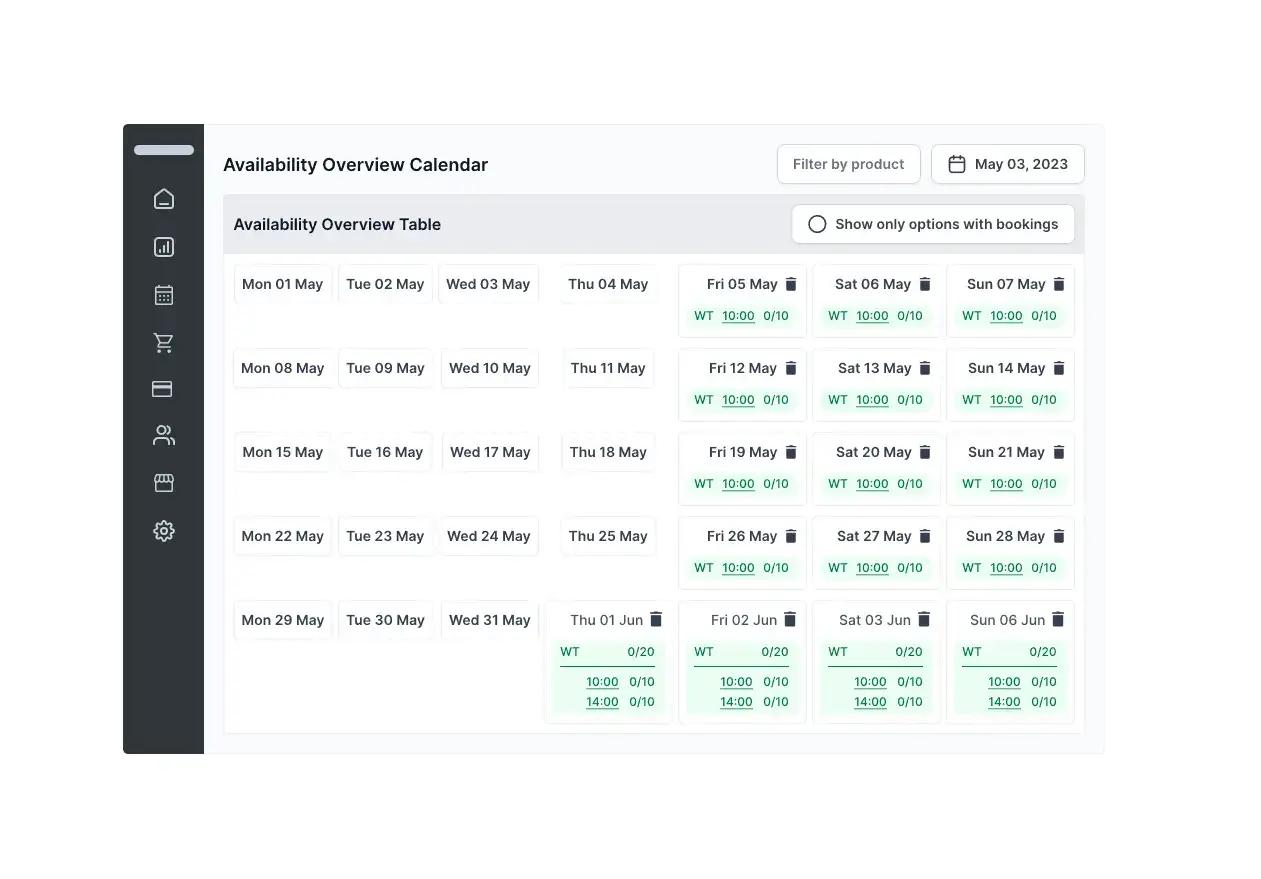
A timed ticket assigns a visitor an arrival slot. Capacity controls determine how many places can be sold in that slot. A useful aquarium demo shows a family booking, the remaining availability and what happens when the final places sell.
TicketingHub supports scheduled products and ticket availability. Complex rules, such as a separate encounter capacity within general admission, need to be demonstrated against your actual programme.
2. A booking journey that works on a phone
Many visitors book while planning the day out. A useful mobile test covers selecting the date, finding child and adult tickets, seeing the total and receiving confirmation. TicketingHub’s booking widget can be embedded in your existing aquarium website.
3. School and group booking requirements
School visits can involve group sizes, teacher places, arrival arrangements and payment deadlines that differ from family admission. A group-booking demonstration can show what information staff collect and where they find it on the day.
Deposits, purchase orders, invoice terms and teacher-to-pupil ratios are separate requirements to confirm. A general booking feature does not establish that a system supports every school workflow.
4. Online and entrance-desk sales together
A busy entrance needs a clear view of advance bookings and tickets sold at the desk. TicketingHub offers point-of-sale tools alongside website bookings. A realistic demo includes a walk-up family, a sold-out arrival slot and a payment at the counter.
5. Ticket checking at the entrance
Ticket scanning and a guest list solve different tasks. The first checks a ticket; the second helps staff find the booking and understand the party arriving. A useful test includes a second scan, a guest without their email and a booking with several tickets.
The device, connectivity and re-entry rules need to match your entrance setup. These are requirements to demonstrate before choosing aquarium ticketing software.
6. Payments, refunds and the full cost
TicketingHub’s published standard fee is 3.5% of each booking on pay as you go, with no monthly or setup fee. A 12-month subscription lowers it to 2.75%. It applies to online, in-person and OTA bookings. Your payment provider charges separately, and marketplace commissions are separate.
An accurate cost comparison includes the same mix of website sales, desk sales and reseller bookings for each supplier. Refund handling and your preferred payment provider also belong in that comparison.
See TicketingHub’s current pricing.
7. Confirmations, reminders and booking changes
A useful confirmation gives visitors their date, arrival time, meeting or entrance point and practical visit information. TicketingHub supports booking confirmations and reminders. Its Magic Link supports guest-managed booking changes, with available actions depending on your setup.
8. Reseller bookings and shared availability
If you sell through online travel agencies, a demo can trace a marketplace reservation into your booking system and show the effect on availability. TicketingHub offers supported connections to Viator and GetYourGuide. Ticket rules and supported products need checking for each connection.
Explore the supported integrations.
9. Memberships and specialist systems
A member ticket discount is different from managing membership renewals, household accounts, entitlements and recurring payments. The same distinction applies to gift vouchers, donations and animal-encounter packages.
Those workflows need individual assessment. This guide does not promise that TicketingHub replaces a specialist membership platform, donor database or aquarium operations system.
10. Reporting and the day-to-day staff workflow
Useful reporting starts with questions the team needs to answer: how many guests are booked, which sessions have space and which channels bring sales. TicketingHub brings booking and sales information into a central dashboard.
A useful demo follows a booking from purchase to arrival, a guest change and the resulting report. Your team can then judge whether the information fits its staffing and sales decisions.